Core Web Vitals Explained in Plain English
You have probably heard the term "Core Web Vitals" thrown around in conversations about SEO and website performance. Maybe your developer mentioned them. Maybe you saw a warning in Google Search Console. Either way, you are here because you want to understand what they actually are - without wading through technical jargon.
Good news: that is exactly what this guide is for.
Core Web Vitals are three specific metrics that Google uses to measure how your website feels to real people. Not how it looks in a speed test. Not how fast your server responds. How actual visitors experience your pages when they click, scroll, and interact.
And yes, they affect your search rankings. Let's break them down.
What Are Core Web Vitals?
Core Web Vitals are a set of three performance metrics defined by Google that measure real-world user experience on your website. They focus on loading speed, interactivity, and visual stability.
Google introduced them in 2020 and they became an official ranking signal in 2021. Since then, they have only grown in importance. The March 2026 core update introduced composite scoring, meaning Google now looks at all three metrics together rather than individually. Sites that pass all three get a stronger ranking boost. Sites that fail even one face compounded penalties.
Think of it this way: if your website were a restaurant, Core Web Vitals measure how quickly the food arrives (loading), how responsive the waiter is when you ask for something (interactivity), and whether the table wobbles while you are eating (stability).
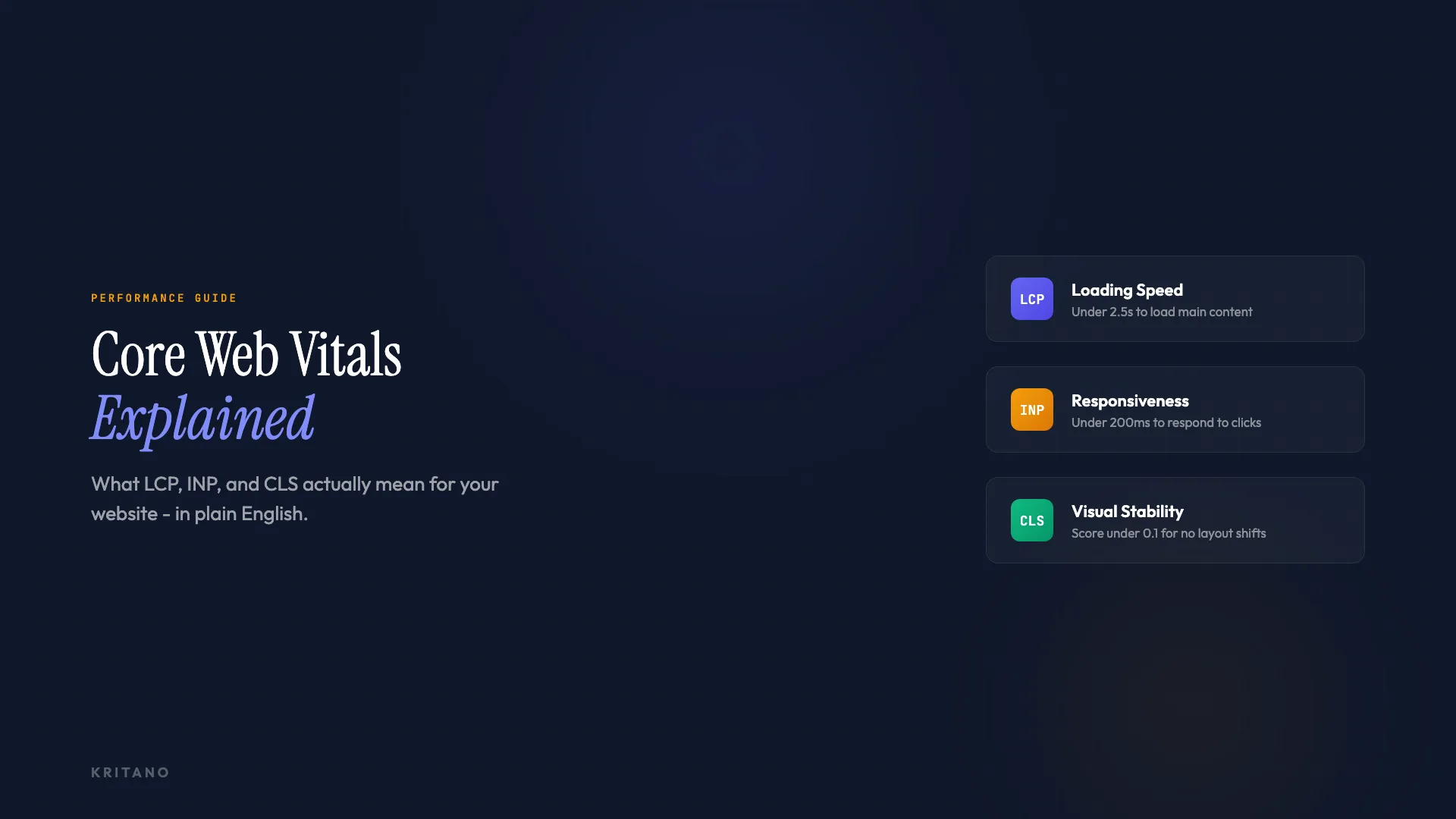
The three metrics are:
- LCP - Largest Contentful Paint (loading)
- INP - Interaction to Next Paint (interactivity)
- CLS - Cumulative Layout Shift (visual stability)
Let's look at each one.
LCP: How Fast Does Your Page Load?
Largest Contentful Paint measures how long it takes for the biggest visible element on your page to finish loading. That is usually a hero image, a large heading, or a video thumbnail.
Here is what the thresholds look like:
| Rating | Time |
|---|---|
| Good | Under 2.5 seconds |
| Needs improvement | 2.5 to 4.0 seconds |
| Poor | Over 4.0 seconds |
Your target is under 2.5 seconds. Ideally, you want to be well below that.
Why it matters in plain English: When someone clicks a link to your website, LCP measures how long they are staring at a blank or half-loaded screen. Every extra second increases the chance they will hit the back button.
What causes poor LCP:
- Oversized images that have not been compressed or served in modern formats like WebP
- Slow server response times
- Render-blocking JavaScript and CSS files
- Third-party scripts loading before your main content
Quick wins:
- Compress and resize your images. This is the single biggest improvement most sites can make
- Use lazy loading for images below the fold
- Make sure your hosting is fast. Cheap shared hosting often means slow response times
- Preload your largest image so the browser fetches it first
According to CrUX data, only around 62% of mobile websites pass the LCP threshold. It is the metric most sites struggle with.
INP: How Quickly Does Your Site Respond?
Interaction to Next Paint measures how responsive your website is when someone interacts with it. Every click, tap, and keyboard input is tracked. INP replaced the older First Input Delay (FID) metric in March 2024 and is now a Core Web Vital and a Google ranking factor.
| Rating | Time |
|---|---|
| Good | Under 200 milliseconds |
| Needs improvement | 200 to 500 milliseconds |
| Poor | Over 500 milliseconds |
Why it matters in plain English: You know that frustrating feeling when you tap a button on a website and nothing happens for a moment? That is what INP measures. It captures the delay between your action and the screen updating.
Unlike FID, which only measured the very first interaction, INP tracks every interaction throughout your entire visit and reports the worst one (roughly speaking, the 98th percentile). So if your site feels snappy on page load but sluggish when someone opens a dropdown menu three clicks in, INP will catch that.
What causes poor INP:
- Heavy JavaScript that blocks the main thread
- Complex event handlers that take too long to process
- Third-party scripts (analytics, chat widgets, ad trackers) competing for processing time
- Large DOM sizes that make the browser work harder to update the screen
Quick wins:
- Break up long-running JavaScript tasks into smaller chunks
- Lazy load third-party scripts that are not essential for the initial page
- Minimise the work your event handlers do
- Use code splitting so browsers only load the JavaScript needed for each page
CLS: Does Your Page Stay Still?
Cumulative Layout Shift measures how much your page content moves around unexpectedly while it loads. Those annoying moments when you are about to click a link and the page suddenly jumps because an ad or image loaded above it? That is layout shift.
| Rating | Score |
|---|---|
| Good | Under 0.1 |
| Needs improvement | 0.1 to 0.25 |
| Poor | Over 0.25 |
CLS is measured as a unitless score, not in seconds. A score of 0 means nothing shifted at all. A score of 0.1 is the maximum you should aim for.
Why it matters in plain English: Layout shifts are one of the most frustrating things a visitor can experience. They cause misclicks, lost reading positions, and a general feeling that the site is broken. On mobile, where screens are smaller, even small shifts are noticeable.
What causes poor CLS:
- Images without width and height attributes, so the browser does not know how much space to reserve
- Ads, embeds, or iframes that load without predefined dimensions
- Web fonts that load late and cause text to reflow (known as FOIT or FOUT)
- Content injected dynamically above existing content
Quick wins:
- Always set width and height attributes on images and videos
- Reserve space for ads and embeds with CSS aspect-ratio or min-height
- Use font-display: swap in your font declarations and preload critical fonts
- Avoid inserting content above existing content after the page has started rendering
The good news is that 81% of mobile websites pass CLS, making it the easiest Core Web Vital to get right.
Why Core Web Vitals Matter for Your Website
Here is the honest take: Core Web Vitals are not going to single-handedly rocket your site to position one. Content relevance and authority still matter more. But they are a tiebreaker, and in competitive niches, tiebreakers win.
There are three reasons to care:
1. They directly affect your search rankings
Google confirmed Core Web Vitals as a ranking signal in 2021. The March 2026 core update strengthened their weight and introduced site-level assessment, meaning Google now aggregates your performance data across your entire domain rather than just individual pages.
2. They reflect real user experience
Core Web Vitals data comes from the Chrome User Experience Report (CrUX), which collects anonymous performance data from real Chrome users visiting your site. This is field data, not lab data. It reflects what your actual visitors experience on their actual devices and connections.
3. They correlate with business outcomes
Faster, more responsive websites convert better. This is not opinion - it is well-documented. redBus saw an 80 to 100% improvement in mobile conversion rates after optimising their Core Web Vitals. Even if the ranking benefit is marginal, the user experience benefit is substantial.
Our own research found that only 56% of websites pass Core Web Vitals. That means nearly half the web is leaving performance on the table. If your competitors are in that half, fixing your metrics is one of the easiest competitive advantages you can grab.
How to Check Your Core Web Vitals
You do not need to be a developer to check your scores. Here are the main tools:
Google Search Console - The most authoritative source. Go to the "Core Web Vitals" report under "Experience" in the left menu. It shows which URLs are good, need improvement, or are poor, based on real user data.
PageSpeed Insights - Visit pagespeed.web.dev, enter your URL, and you get both field data (from real users) and lab data (simulated). Focus on the field data section at the top - that is what Google uses for rankings.
Chrome DevTools - Open DevTools (right-click, Inspect), go to the Performance panel, and run a Lighthouse audit. This gives you lab data with specific recommendations. Lighthouse covers performance well, but for a tool that also checks SEO, accessibility, security, and content quality alongside Core Web Vitals, compare your options.
A website audit - A comprehensive website audit checks Core Web Vitals alongside accessibility, security, SEO, and content quality. It gives you the full picture rather than just one slice of performance.
One important distinction: field data and lab data often differ. Field data is what real users experience and what Google actually uses. Lab data is a simulation. Your lab scores might look perfect while your field data fails because real users are on slower phones and connections. Always prioritise field data.
How to Improve Your Core Web Vitals
If your scores need work, here is a prioritised approach:
Start with LCP - it has the biggest impact and the most common fixes are straightforward. Compress images, upgrade hosting if needed, and eliminate render-blocking resources. Most sites can shave seconds off their LCP just by optimising images.
Then tackle CLS - layout shifts are usually caused by missing image dimensions or late-loading fonts. These are quick fixes that deliver immediate results.
Then address INP - this often requires more technical work (JavaScript optimisation), but start with the easy wins: defer non-critical scripts and lazy load third-party widgets.
If you are launching a new site, build these into your process from day one. Our website launch checklist covers Core Web Vitals alongside 24 other things to verify before going live.
Remember the 75th percentile rule. Google uses the 75th percentile of your real user data. That means 75% of your visitors need to have a "good" experience for the page to pass. One slow visit does not tank your score, but a pattern of slow visits will.
Frequently Asked Questions
What is a good Core Web Vitals score?
A good score means all three metrics are in the green zone: LCP under 2.5 seconds, INP under 200 milliseconds, and CLS under 0.1. You need all three passing for Google to consider your page as having good Core Web Vitals.
Do Core Web Vitals affect SEO rankings?
Yes. Google confirmed Core Web Vitals as a ranking signal in 2021, and their influence has grown with each subsequent core update. The March 2026 update introduced composite scoring, giving sites that pass all three metrics a stronger boost and penalising sites that fail even one.
How often does Google update Core Web Vitals data?
CrUX data updates daily, but is based on a rolling 28-day average of real user experiences. Changes you make to your site will take roughly a month to fully reflect in your field data. Lab tools like PageSpeed Insights show immediate results, but Google uses field data for rankings.
What is the difference between lab data and field data?
Lab data comes from controlled simulations (tools like Lighthouse running on a standard device and connection). Field data comes from real users visiting your site, collected via the Chrome User Experience Report. Google uses field data for ranking decisions. Lab data is useful for debugging but does not determine your search performance.
Can I pass Core Web Vitals on a WordPress site?
Absolutely. WordPress sites can pass all three metrics with proper optimisation. The key areas to focus on are image optimisation (use a plugin that converts to WebP and lazy loads), caching (install a good caching plugin), and minimising plugins that add heavy JavaScript. Choose a lightweight, well-coded theme and avoid page builders that bloat the DOM.
The Bottom Line
Core Web Vitals are not complicated. They measure three things: how fast your page loads, how quickly it responds to interactions, and whether the layout stays stable. Google uses them as a ranking factor, but more importantly, they directly affect whether visitors stay on your site or bounce.
The good news is that most fixes are practical and achievable. You do not need a complete rebuild. Start with image optimisation, add missing dimensions, defer heavy scripts, and you will likely see meaningful improvement.
If you want to see exactly where your site stands - not just performance, but accessibility, security, SEO, and content quality too - run a free audit with Kritano. It takes less than a minute and gives you a clear picture of what needs attention.

Founder of Kritano
5 years in web development. I specialise in web auditing, WCAG 2.2 compliance, and search engine optimisation.
I built Kritano after years of running audits with fragmented tools. I write about SEO, accessibility, security, and performance based on real auditing data from thousands of scans.