Web Accessibility: The Complete Guide for 2026
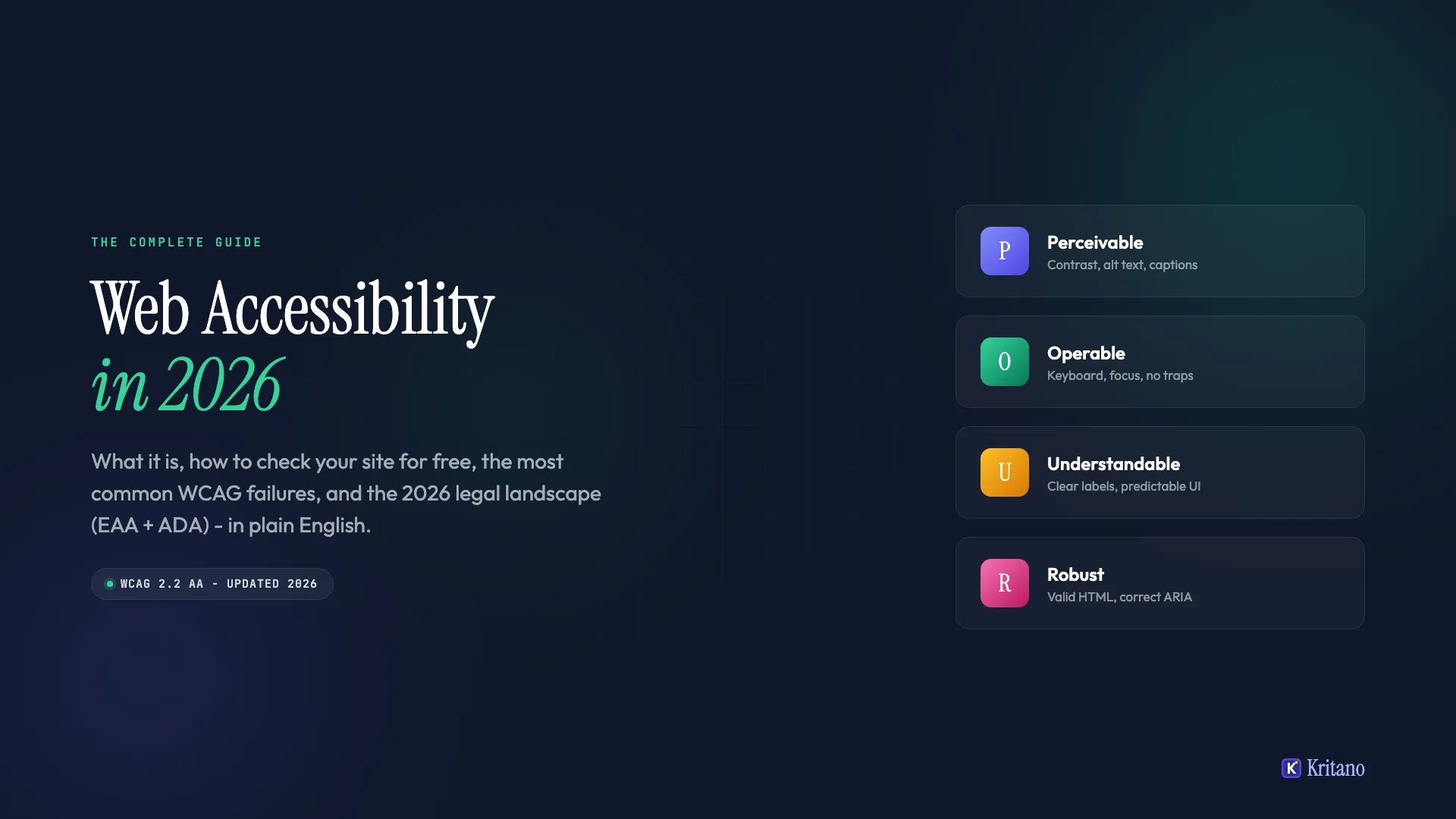
Web accessibility is the practice of building websites that everyone can use, regardless of ability, device, or context. In 2026 it is not optional. The European Accessibility Act is now enforced, the ADA still applies to almost every public-facing site, and 96% of homepages still fail at least one WCAG check. The gap between what the law expects and what most sites deliver has never been wider.
This guide walks through what web accessibility actually means, how to check your site against the WCAG standard, the 10 issues that account for most failures, and what the legal landscape looks like in 2026. No jargon, no overlay sales pitch, no scare tactics. By the end you will know exactly where your site stands and what to fix first.
Contents
- What web accessibility actually is
- Why accessibility matters in 2026
- The four WCAG principles in plain English
- How to check your website's accessibility for free
- The 10 most common accessibility issues (and the fixes)
- WCAG versions explained: 2.0, 2.1, 2.2
- Web accessibility and SEO
- Legal requirements: EAA, ADA, and beyond
- Automated vs manual testing: what each catches
- Building accessibility into your workflow
- Frequently asked questions
1. What web accessibility actually is
Web accessibility means designing and building websites so that people with disabilities can perceive, navigate, and interact with them on equal footing with everyone else. The shorthand is "a11y" (a, then 11 letters, then y). The standard everyone refers to is the Web Content Accessibility Guidelines (WCAG), published by the W3C.
In practice, accessibility covers a much wider audience than most teams assume. Visual impairments (blindness, low vision, colour blindness), motor impairments (using a keyboard only, switch input, voice control), hearing impairments (captions, transcripts), cognitive differences (clear language, predictable interactions), and the situational impairments everyone has at some point. Bright sunlight on a phone screen is a low-vision situation. A broken mouse is a motor situation. Trying to watch a video on the train without headphones is a hearing situation.
The WHO estimates that 16% of the global population lives with some form of disability, which is roughly 1.3 billion people. That number does not include the temporary or situational cases. If you add those in, accessibility stops being a niche concern and starts being one of the most consequential design choices a team can make.
The good news: most accessibility work is not exotic. It is the same craft as good HTML, clear writing, and predictable behaviour. Most of the issues your site has today can be fixed by a developer in a single afternoon, once they know what to look for.
2. Why accessibility matters in 2026
Accessibility matters in 2026 for four reasons that compound on each other: legal exposure, audience reach, search visibility, and product quality. The legal pressure is the newest of those, and it is what is forcing the conversation onto roadmaps that have ignored it for years.
Legal exposure is real and growing. The European Accessibility Act became enforceable on 28 June 2025, requiring digital products and services sold in the EU to be accessible by default. In the United States, ADA Title III continues to drive thousands of website lawsuits each year, and the federal Department of Justice has now extended the ADA web accessibility deadline for state and local government sites. Class actions are no longer the exception. They are the baseline cost of running an inaccessible site at scale.
Your audience is bigger than you think. Accessible sites do not just serve disabled users. They serve mobile users on slow connections, older users with declining vision, people watching videos in a quiet office without sound, and the entire long tail of "people who just want it to work without fighting it." Sites that meet WCAG AA consistently report lower bounce rates and higher conversion, because the same fixes that help a screen reader user also help everyone else.
Search visibility tracks accessibility closely. Accessible sites rank higher for a long list of reasons we cover in a separate post, but the short version is that the structural decisions WCAG asks for (semantic HTML, descriptive links, alt text, heading hierarchy) are the same decisions Google's crawler rewards. There is no version of "good SEO" that does not also produce a more accessible site.
Product quality compounds. A site that meets WCAG is also typically faster, more semantic, more testable, and easier to migrate to a new framework. Accessibility is not a layer you bolt on. It is what good front-end code looks like.
The cost of doing nothing in 2026 is no longer "we might get a complaint." It is "we are knowingly excluding 16% of our market and accepting a measurable legal risk every quarter we delay." The math has moved.
3. The four WCAG principles in plain English
WCAG is organised around four principles, abbreviated POUR. Every success criterion (the individual rules) maps to one of these. If you understand POUR, you understand the shape of the standard.
Perceivable. Users must be able to perceive the information your site presents. Text needs sufficient contrast against its background. Images need alternative text describing them. Videos need captions and transcripts. Interactive elements need visible focus indicators. Anything you communicate through one sense (sight, hearing) needs an alternative for users who lack that sense.
Operable. Users must be able to operate the interface. Every interactive element needs to be reachable and usable with a keyboard alone. Time limits must be adjustable. Movement and animation must be controllable. Content should not flash in ways that can trigger seizures.
Understandable. Users must understand both the content and the interface. Language should be clear. Behaviour should be predictable. Error messages should explain what went wrong and how to fix it. Forms should label their fields and validate input in a way users can recover from.
Robust. The site must be robust enough to work with current and future assistive technologies. This is the principle that pushes you toward valid HTML, correct ARIA usage, and not depending on a specific browser or screen reader version.
Within POUR, success criteria are graded at three levels: A (essential), AA (the standard most laws require), and AAA (highest, often impractical for general-purpose sites). When people say "WCAG compliant" without further detail, they almost always mean Level AA. The European Accessibility Act, ADA case law, and the EN 301 549 standard all reference Level AA as the target.
We have packaged the 20 most-common WCAG 2.2 failures and their fixes into a one-page reference: WCAG Quick Reference Card. It is the fastest way to get a development team on the same page about what "AA" actually requires.
4. How to check your website's accessibility for free
The easiest way to check website accessibility is to run a free automated scan against WCAG 2.2 Level AA, then follow it up with a 10-minute manual keyboard test. Automated tools find roughly 30-50% of issues. The manual test catches the rest of the high-impact ones without requiring any specialised knowledge.
The four free tools worth using, in this order:
Kritano's accessibility audit. Run a free scan of your homepage and a representative inner page. Kritano tests against WCAG 2.2 AA across colour contrast, ARIA usage, keyboard reachability, semantic structure, and image alt text. Every finding includes the rule it failed, why it matters, and the exact fix. Scans complete in 2-5 minutes and the report is shareable with developers.
axe DevTools. The browser extension version is free and is the same engine many paid tools use under the hood. Open the page, open DevTools, click axe, click Scan. It returns rule violations grouped by impact level. Useful for one-off page debugging.
Lighthouse Accessibility. Built into Chrome DevTools. Open DevTools, go to the Lighthouse tab, tick Accessibility, run it. Scores you out of 100 with a list of failed audits. Less comprehensive than axe but useful as a CI gate.
WAVE by WebAIM. A long-running free tool that overlays a visual report on top of your page. Useful for designers and content editors who want to see issues in context rather than as a list.
After the automated pass, do the manual keyboard test: unplug your mouse, tab through the whole page, and try to complete the primary task (sign up, add to cart, send a message). Watch for elements that cannot be reached, focus indicators that disappear, and modals that trap focus. This 10-minute test surfaces the issues that hit real keyboard and screen reader users hardest, and no automated tool reliably catches them.
A site that passes both the automated scan and the manual test is in the top 10% of the web today.
5. The 10 most common accessibility issues (and the fixes)
These ten issues account for the overwhelming majority of WCAG failures in the wild. Fix them in order and you will move from "fail" to "pass" on most automated scans without any specialised tooling.
1. Insufficient colour contrast. Body text needs a contrast ratio of at least 4.5:1 against its background. Large text (18pt+ or 14pt bold) needs at least 3:1. The most common offender is light grey text on white. Fix: darken the text or lighten the background until the ratio passes. A tool like WebAIM's Contrast Checker makes this a 30-second job.
2. Missing image alt text. Every meaningful image needs an alt attribute describing what it shows. Decorative images get alt="" (empty, not missing). Logos describe what the logo is, not "logo." Icons inside buttons describe the action, not the icon. Fix: audit every <img> tag and supply alt text that conveys the same information as the image.
3. Form fields without labels. Every input needs a <label> connected to it via the for attribute matching the input's id. Placeholder text is not a label. A label that disappears when the user starts typing is not a label. Fix: pair every input with a persistent, programmatically associated label.
4. Missing or broken heading hierarchy. One <h1> per page. Subsequent headings should descend in logical order (h1, h2, h3) without skipping levels. Headings are how screen reader users navigate. A page with twelve <h2> tags and no structure is the screen reader equivalent of an unsorted dump of bullet points. Fix: outline the page first, then mark up headings that match the outline.
5. Buttons that are not buttons. A <div onclick="..."> is not a button. Screen readers do not announce it as one, keyboard users cannot reach it without tabindex, and the Enter and Space keys do not fire its handler. Fix: use the <button> element for anything that performs an action and <a> for anything that navigates.
6. Missing focus indicators. Many design systems remove the default browser focus ring (outline: none) without replacing it. Keyboard users then have no way to see where they are on the page. Fix: never remove the focus ring without adding a custom one. A 2px solid outline in a high-contrast colour is the easiest fix.
7. Missing or improper ARIA usage. ARIA is powerful and easy to misuse. The first rule of ARIA is "don't use ARIA when a native HTML element will do the job." A <button> does not need role="button". A heading does not need role="heading". Fix: prefer semantic HTML; reach for ARIA only when no semantic element exists for what you are building (a tab interface, a custom combobox, a modal dialog).
8. Missing language attribute on <html>. Screen readers use the lang attribute to pick the correct pronunciation. A page without one gets pronounced as the user's default language, which is often wrong. Fix: add <html lang="en-GB"> (or your relevant locale) at the top of every page.
9. Links and buttons without descriptive text. "Click here" is unhelpful to a screen reader user navigating by a link list. So is "Read more" repeated 20 times on a blog index. Fix: write link text that makes sense out of context. "Read the 2026 accessibility report" beats "Click here for our report" every time.
10. Modals and overlays that trap focus. A modal that opens without moving focus into it, or that lets focus escape to the (now-inert) page behind it, is unusable with a keyboard. Fix: move focus into the modal when it opens, trap it inside while open, return it to the trigger element when closed, and close on Escape.
The pattern across all ten: most accessibility issues are not exotic. They are the result of writing HTML the wrong way and reaching for JavaScript to paper over the gap. The fix is almost always simpler than the workaround.
6. WCAG versions explained: 2.0, 2.1, 2.2
There are three actively referenced versions of WCAG: 2.0 (2008), 2.1 (2018), and 2.2 (2023). Each new version is a superset of the previous one, adding new success criteria without removing existing ones. A site that meets 2.2 also meets 2.1 and 2.0.
WCAG 2.0 is the foundation. It is what most legal frameworks originally referenced, and you will still see contracts that specify "WCAG 2.0 Level AA." It covers the basics: contrast, alt text, keyboard access, semantic structure.
WCAG 2.1 added 17 new criteria, mostly targeted at mobile, low vision, and cognitive accessibility. Notable additions: minimum touch target sizes, orientation lock prohibition, content reflow on zoom, and additional non-text contrast requirements (UI components, focus indicators).
WCAG 2.2 added 9 more criteria, focused on cognitive accessibility, motor impairments, and authentication. Notable additions: focus indicators must not be obscured by other content, dragging interactions must have an alternative single-pointer method, target sizes for non-inline elements must be at least 24x24 pixels, and forms must not require cognitive function tests (puzzle CAPTCHAs) without an alternative.
In 2026, target WCAG 2.2 AA. The European Accessibility Act, EN 301 549 (the standard European public bodies use), and most updated procurement contracts now reference 2.2. Sites still aiming at 2.0 are working from a 17-year-old baseline.
WCAG 3.0 is in draft and will not be finalised for years. Do not optimise for it. Optimise for 2.2 AA today and you are exactly where you need to be.
7. Web accessibility and SEO
Web accessibility and SEO overlap so heavily that improving one almost always improves the other. The same semantic structure that helps a screen reader user navigate is what Google's crawler uses to understand your page. The same alt text that helps a blind user understand an image is what surfaces the image in Google Image Search. The same descriptive link text that helps a keyboard user understand a navigation target is what passes anchor-text relevance to the linked page.
Six specific overlaps every team should know:
Semantic HTML. Search engines and screen readers both rely on semantic elements (<header>, <nav>, <main>, <article>, <button>, <h1> through <h6>) to understand the structure of a page. Sites built from <div> soup are harder for both to interpret.
Heading hierarchy. A clean h1 to h6 outline gives screen readers a navigable table of contents and gives Google a structured understanding of your subtopics. Featured snippets disproportionately come from sites with clean heading structure.
Image alt text. Mandatory for accessibility, mandatory for image search, and a small but real ranking factor on the parent page when the image is relevant to the topic.
Descriptive link text. Useful out of context, which is the same standard search engines use to evaluate anchor relevance.
Page load and Core Web Vitals. Accessibility tooling (screen readers, voice control, switch input) tends to suffer disproportionately on slow pages. The same Core Web Vitals improvements that lift your search rankings make your site easier for assistive tech users to operate. Our Core Web Vitals guide covers the practical fixes.
Mobile and responsive design. Required for WCAG 2.1 (reflow on zoom) and required for Google's mobile-first index. The same fix satisfies both.
A site optimised for WCAG 2.2 AA is, by accident, also closer to passing every meaningful SEO check. There is no scenario where spending engineering hours on accessibility hurts your search performance.
8. Legal requirements: EAA, ADA, and beyond
Web accessibility is a legal requirement in most major economies in 2026. The specifics vary by jurisdiction, but the trend is consistent: governments are tightening enforcement, expanding scope, and shortening grace periods.
European Union: the European Accessibility Act (EAA). Enforced since 28 June 2025. Applies to digital products and services sold in the EU, including websites, mobile apps, ecommerce platforms, banking services, ebooks, and consumer electronics. The technical standard is EN 301 549, which references WCAG 2.1 AA today and is updating toward 2.2 AA. Microenterprises (under 10 employees AND under €2m turnover) are exempt for services but not products. We have published a full EAA compliance guide covering scope, deadlines, and audit checklists.
United States: ADA Title III. The Americans with Disabilities Act of 1990 has been interpreted by courts to apply to "places of public accommodation," which now consistently includes websites. There is no formal technical standard in US federal law, but courts overwhelmingly reference WCAG 2.1 AA as the de facto baseline. Lawsuit volume hit roughly 4,000 cases in 2024 and continues at a similar pace. For US government sites, Section 508 sets a separate (but aligned) standard.
United Kingdom: Equality Act 2010. Requires reasonable adjustments for disabled users. In practice, regulators and courts reference WCAG 2.1 AA for digital services. The Public Sector Bodies Accessibility Regulations 2018 cover government and public sector sites specifically.
Canada: Accessible Canada Act. Federal entities must meet accessibility standards. Provincial laws (notably Ontario's AODA and Quebec's Bill 14) extend obligations to private-sector sites of certain sizes.
Australia: Disability Discrimination Act 1992. Used as the basis for the 2000 Maguire v SOCOG case (the first major web accessibility case globally) and continues to underpin Australian Human Rights Commission enforcement.
The trend across every region: 2026 is the year accessibility moves from "best practice" to "audited compliance requirement." A team that ignores this is accumulating quiet liability with every release.
If your site sells anything in the EU, the EAA applies to you. If your site is accessible from the US, ADA Title III almost certainly applies to you. The right defensive posture in 2026 is to (a) run a WCAG 2.2 AA audit, (b) fix the issues that surface, and (c) publish an accessibility statement that describes your current status, gaps, and fix timeline.
9. Automated vs manual testing: what each catches
Automated accessibility testing tools catch roughly 30-50% of WCAG issues. Manual testing catches the rest. Neither replaces the other.
What automated tools catch well. Missing alt text, insufficient colour contrast, missing form labels, invalid ARIA usage, missing language attributes, broken heading hierarchy, missing skip links, missing landmark regions, certain duplicate-ID issues, certain link-text issues. Anything where the rule can be encoded as "does this attribute exist, and does it have this property?" gets caught reliably.
What automated tools miss. Whether alt text is meaningful. Whether the focus order is logical. Whether a modal traps focus correctly. Whether error messages are understandable. Whether the page is navigable with a screen reader in real time. Whether interactive widgets behave as users expect. Whether content is actually understandable to someone with a cognitive disability. The "judgement" rules require a human.
The right testing mix for a serious team:
- Continuous automated scanning on every deploy, ideally as a CI gate that fails the build if accessibility regressions are detected. Kritano, axe, and Lighthouse all support CI integration. Pick one.
- Quarterly manual keyboard test on every major user flow. Tab through the flow, attempt every action, document anything that does not work.
- Annual screen reader test using NVDA on Windows or VoiceOver on Mac. Even an hour with a real screen reader exposes issues that no automated tool will find.
- User testing with disabled users for any major release. The cheapest, fastest way to learn what you have actually shipped. Recruit through accessibility-focused user research firms.
Most teams skip steps 3 and 4. Doing all four is the difference between "we passed our scanner" and "our site actually works for disabled users."
10. Building accessibility into your workflow
The teams that consistently ship accessible sites do not test for accessibility at the end. They build it in. Five practices that compound over time:
Treat accessibility as a definition of done. Every PR should be reviewed against an accessibility checklist before it merges. The list does not need to be long. Five items is enough: keyboard reachable, focus indicator visible, semantic HTML, contrast passes, screen reader makes sense.
Use a component library that bakes in the basics. If your button component has the right semantics, focus ring, and ARIA, every consumer of that component gets accessibility for free. Library-level investment is the highest leverage accessibility work a team can do.
Run automated audits on every deploy. Most accessibility regressions happen because someone changed something innocuous (added a wrapper div, refactored a form, swapped a button for a link). A CI gate catches these within minutes of the change shipping.
Document accessibility decisions in code. When you have to deviate from the obvious accessible pattern (because of a design constraint, a third-party library, or a browser bug), leave a comment explaining why. Future-you will thank you.
Train every team member, not just developers. Designers control colour contrast and focus visibility. Writers control link text and heading hierarchy. Product managers control whether accessibility shows up in tickets in the first place. Two hours of training per role is enough to shift the baseline.
Accessibility work is not a single sprint. It is the ongoing operational practice of writing better HTML, clearer copy, and more predictable interactions. The teams that internalise this stop "thinking about accessibility" and start producing it as a side effect of doing the work well.
If you want a single starting point, run a Kritano accessibility audit on your homepage today, fix the issues that come back, and commit to a quarterly re-run. That cadence alone puts you ahead of 90% of the web.
11. Frequently asked questions
What is the easiest way to check if my website is accessible?
Run a free automated scan against WCAG 2.2 Level AA, then do a 10-minute manual keyboard test. The automated scan (Kritano, axe DevTools, Lighthouse, or WAVE) finds 30-50% of issues in 2-5 minutes. The manual test (unplug your mouse and try to complete the primary task) catches the rest of the high-impact ones. A site that passes both is in the top 10% of the web for accessibility.
Is web accessibility a legal requirement in 2026?
Yes, in most major economies. The European Accessibility Act has been enforceable since June 2025 across the EU. ADA Title III applies to nearly every US public-facing website and drives roughly 4,000 lawsuits per year. The UK Equality Act, Canada's Accessible Canada Act, and Australia's Disability Discrimination Act all impose similar requirements. WCAG 2.1 AA (and increasingly 2.2 AA) is the de facto technical standard courts reference.
What is the difference between WCAG A, AA, and AAA?
A is essential, AA is the legal standard, AAA is aspirational. Level A covers the bare minimum (basic alt text, keyboard access, page language). Level AA adds the criteria most laws require: stronger contrast ratios, captions, resizable text, consistent navigation. Level AAA is the highest tier and is generally impractical for general-purpose sites (it requires sign language for video, contrast ratios above 7:1, no time limits at all). Aim for AA.
How long does it take to make a website accessible?
For most sites: 2-6 weeks of focused work to go from "fails common scans" to "passes WCAG 2.2 AA." A typical roadmap: week 1 audit and prioritise, weeks 2-4 fix the top 10 issue categories (contrast, alt text, labels, headings, keyboard), week 5 manual testing and edge cases, week 6 documentation and an accessibility statement. The first audit is usually the longest part; ongoing maintenance after that is minutes per release if you have CI scanning in place.
Does web accessibility help SEO?
Yes, measurably. The same semantic HTML, heading hierarchy, alt text, descriptive link text, and mobile responsiveness that WCAG requires are direct ranking inputs for Google. Accessible sites also tend to be faster, which improves Core Web Vitals. We cover the overlap in detail in Why Accessible Websites Rank Higher, but the short version is: there is no version of "good SEO" that does not also produce a more accessible site.
Where to go next
Pick one starting point and execute it this week. Run a free Kritano accessibility audit and triage the findings, or download the WCAG Quick Reference Card and walk your design system against it. Both take under 30 minutes and both produce a concrete action list.
For the wider picture, accessibility is one of six pillars of website health we audit at Kritano. Sites that score well on accessibility tend to score well on SEO, content quality, and performance too, because the work compounds. If you want to see what your audit will look like across all six, run a scan and we will show you exactly where you stand.
Whichever path you take, the bigger commitment is the cadence. A single audit is a snapshot. A quarterly audit is a practice. Accessibility is operational, not project-based, and the teams that treat it that way are the ones whose sites stay above the line as the legal floor keeps rising.

Founder of Kritano
5 years in web development. I specialise in web auditing, WCAG 2.2 compliance, and search engine optimisation.
I built Kritano after years of running audits with fragmented tools. I write about SEO, accessibility, security, and performance based on real auditing data from thousands of scans.